



Domain marketplaces are convenient, but that convenience is expensive. Commission rates typically run between 10% and 25% per sale, your listing sits alongside thousands of competing domains, and the buyer conversation happens on someone else’s platform, under someone else’s rules. For a domain that sells at $5,000, you could be handing over $1,250 before the money reaches you.
That’s why more domain investors are selling directly from their own websites. A dedicated landing page on the domain itself converts the most motivated buyer there is — the person who typed your domain into a browser. You keep the branding, the buyer relationship, and the full sale price.
In this guide, we compare the best WordPress plugin sell domains options available in 2026. We’ve set up and tested each of these seven plugins on real WordPress installations, from simple one-domain landing pages to portfolio-scale setups with dozens of listings. Here’s what we found.
Key Takeaways
- Selling domains from your own WordPress site avoids marketplace commissions, which commonly range from 10% to 25% per sale.
- Domain For Sale by ThemeAtelier is the strongest all-round option, with landing page templates, inquiry forms, and an offer management dashboard in its free version.
- A domain sale landing page with an inquiry form is the minimum setup needed to capture offers from direct visitors.
- Auction-style plugins like Domina and Nilam suit investors who want bidding, while WooCommerce-based selling only makes sense for fixed-price checkout.
- Escrow services remain the standard for safely transferring domain payments; some plugins integrate Escrow.com directly.
- Plugins hosted on the WordPress.org repository tend to receive more frequent, more visible updates than marketplace-only plugins.
Table of Contents
Best WordPress Plugin Sell Domains: Quick Comparison
| Plugin | Best For | Free Version | Standout Feature |
|---|---|---|---|
| Domain For Sale (ThemeAtelier) | Most sellers, single domain to full portfolio | Yes (WordPress.org) | Offer management dashboard inside WordPress |
| This Domain Is For Sale (HTMLPie) | Simple multi-domain landing pages | No | Handles many domains from one installation |
| Domina | Sales plus auction-style listings | No | Combined fixed-price and auction selling |
| WooCommerce Domain Name Seller | Fixed-price checkout on existing stores | No | Domains sold as WooCommerce products |
| Dominion – WP Domain Checker | Availability search and registrar workflows | No | WHMCS and affiliate integration |
| inTime | One domain with a coming-soon page | No | Dual domain-sale and countdown modes |
| Nilam | Auction listings with form flexibility | No | Third-party form shortcode support |
1. Domain For Sale by ThemeAtelier — Best WordPress Plugin to Sell Domains Overall
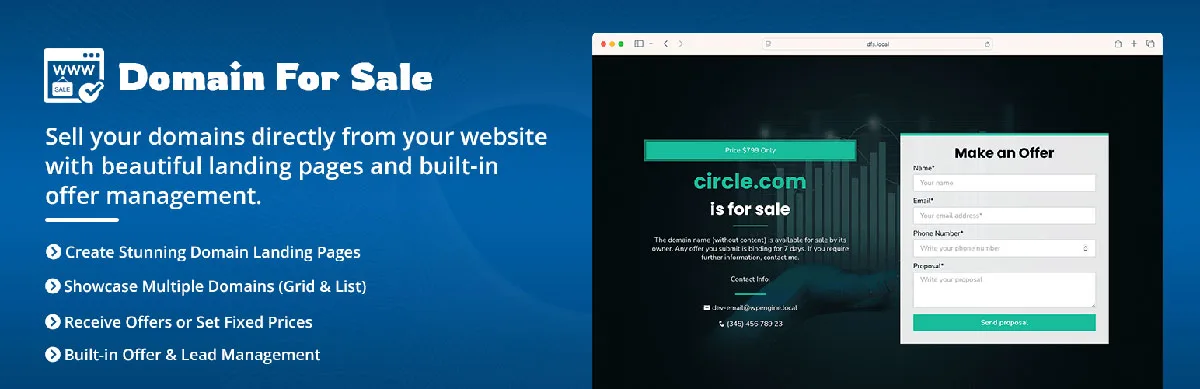
Domain For Sale is a free plugin on the WordPress.org repository that turns any WordPress site into a working domain sales operation. It builds the landing page, captures offers and inquiries, and gives you a dashboard to manage every negotiation without leaving wp-admin.
In our testing, this is the plugin that covers the full workflow rather than just one piece of it. Most alternatives stop at the landing page. Domain For Sale keeps going: a buyer submits an offer, both parties get automatic email notifications, and the offer lands in a management screen where you can track and filter every conversation.
Key Features
- Customizable landing page templates with multiple pre-designed layouts
- Built-in offer and inquiry forms, with geolocation-aware form handling
- Offer management dashboard inside WordPress with tracking and filtering
- Automatic email notifications with customizable templates
- Unlimited domain listings, stored as regular WordPress posts
- Bulk import and export in CSV, XML, and JSON formats
- Gutenberg support and Elementor compatibility; works with any theme
- Multilingual and RTL support
- Escrow.com integration in the Pro version
Pros and Cons
Pros: The free version is genuinely usable, not a demo. Setup took us under ten minutes from installation to a live domain sale landing page. Because listings are ordinary WordPress posts, managing a portfolio of thirty domains feels the same as managing thirty blog posts — bulk actions, quick edits, and CSV import all work as expected.
Cons: The Escrow.com integration is reserved for the Pro version, so free users need to move buyers to escrow manually once a price is agreed. If you close sales regularly, that’s the point where upgrading starts to pay for itself.
Pricing and Verdict
The core plugin is free on WordPress.org. Pro pricing and feature details are listed on the official Domain For Sale site.
Best for: nearly everyone. Whether you’re parking one domain or running an active portfolio, this is the plugin we’d install first. The combination of a real offer dashboard, free-tier completeness, and repository-hosted updates makes it the safest long-term choice on this list.
2. This Domain Is For Sale (HTMLPie)
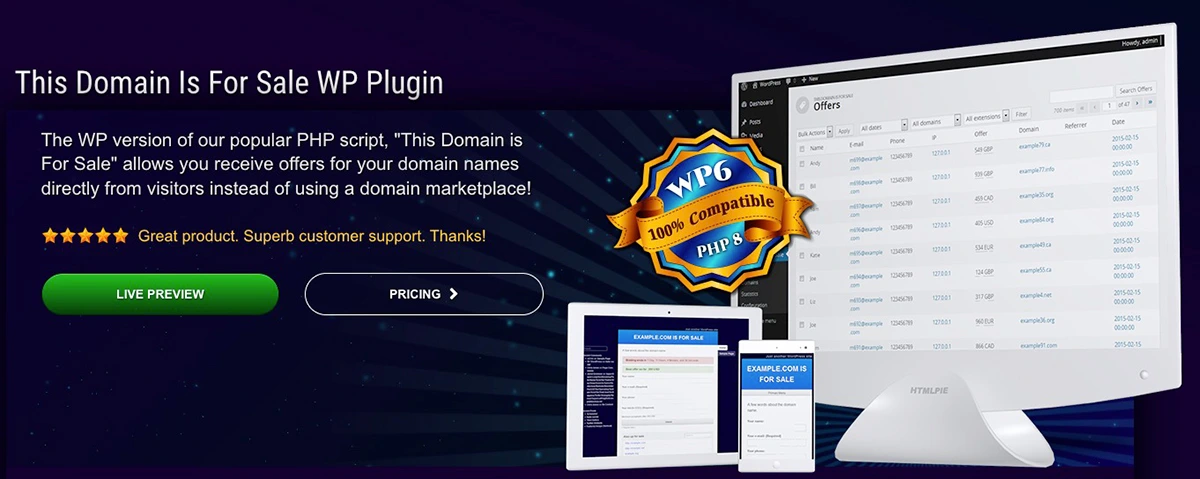
This Domain Is For Sale is one of the longest-standing plugins in this niche. It’s a premium plugin sold through HTMLPie’s own site rather than the WordPress.org repository, and it focuses on doing one thing: putting a clean for-sale page in front of visitors and letting them send you an offer.
It handles multiple domains from a single WordPress installation, supports filtering listings by extension and age, and can convert prices across currencies on the fly. HTMLPie also provides a companion theme designed specifically for the plugin, which simplifies getting a consistent look.
Pros: Simple, focused, and proven over many years. The multi-domain handling is solid for the price.
Cons: There’s no free version to try first, and because it’s distributed outside the WordPress.org repository, updates arrive through HTMLPie rather than the familiar plugins screen. There’s no built-in offer management dashboard comparable to Domain For Sale — offers arrive as messages, and the negotiation lives in your inbox.
Best for: sellers who want a straightforward, no-frills landing page system and don’t need inquiry tracking inside WordPress.
3. Domina – Domain For Sale & Auction
Domina is a CodeCanyon plugin that adds something the first two don’t offer: auction-style selling alongside fixed-price listings. If you’d rather let buyers bid against each other than negotiate one-on-one, this is the mechanic you’re looking for.
Beyond auctions, it ships professional-looking templates with control over fonts and sizing, a customizable contact form, SEO settings for the landing page, and a settings backup option that’s handy if you run the same setup across several domain sites. Every visible sentence on the template can be edited from the settings panel, which we appreciated when adapting pages for different niches.
Pros: Auction support, deep text and typography customization, portable settings between sites.
Cons: It lives in the CodeCanyon ecosystem, and marketplace plugins may receive updates less frequently than repository plugins — worth factoring in if you plan to run it for years. There’s also no free tier to evaluate before buying.
Best for: investors who want auction functionality and heavy visual customization on a single-purchase license.
4. WooCommerce Domain Name Seller
This approach treats domains as WooCommerce products. Each domain becomes a product with a price, a description, and a standard checkout — cart, payment gateway, order confirmation, the works.
When does that make sense? If you already run a WooCommerce store, sell domains at fixed prices, and want buyers to pay instantly by card or PayPal, the product model works well. The buyer checks out like they’re buying anything else, and you handle the transfer after payment clears.
For most domainers, though, it’s unnecessarily complex. Domain sales are usually negotiations, not fixed-price checkouts, and installing WooCommerce plus a payment gateway plus an extension just to display a for-sale page is a lot of machinery for one landing page. WooCommerce also brings its own maintenance overhead — regular updates, template compatibility, gateway configuration — that a dedicated domain inquiry form avoids entirely.
Best for: existing WooCommerce store owners selling lower-value domains at fixed buy-now prices.
5. Dominion – WP Domain Checker
Dominion is in this list mostly to clarify what it is not. It’s a domain availability checker, not a dedicated domain sales plugin. Visitors type a name, the plugin checks whether it’s available, and the search result can point to a WHMCS sales page or a third-party registrar — where you can earn affiliate revenue on registrations.
It also supports domain transfer forms and works with or without WPBakery Page Builder. That makes it a good fit for hosting resellers and registrar-style businesses. But if your goal is a domain sale landing page with an offer form for a name you already own, Dominion doesn’t do that job — you’d pair it with one of the dedicated plugins above, or skip it entirely.
Best for: hosting companies and resellers building registration workflows, not domain investors selling their own portfolio.
6. inTime – Domain Sale & Coming Soon
inTime is a dual-purpose plugin: it builds either a domain sale landing page or a coming-soon page, and you can switch between the two modes from its settings. The design is minimal and modern, with a countdown timer, social icons, an about section, and even a YouTube video background option.
The coming-soon controls are more granular than you’d expect — you can enable the page on specific URLs only, or allow access by IP address or user role while the rest of the site stays hidden. That flexibility is the real draw.
Pros: Clean design, dual mode, useful access controls.
Cons: It’s built around one page for one site. There’s no portfolio management, no offer dashboard, and no listing system, so it doesn’t scale past a single domain.
Best for: someone parking a single domain that might become a project later — sell it if the right offer comes, launch on it if not.
7. Nilam – Domain For Sale & Auction
Nilam is another CodeCanyon option that combines for-sale pages with auction functionality. It ships two template variations with four pre-made color schemes plus unlimited color customization, so getting a distinctive look takes minutes rather than hours.
Its most practical strength is form flexibility. The built-in contact form supports Google reCAPTCHA to keep spam out of your domain inquiry form, and if you’d rather use Contact Form 7, WPForms, or Gravity Forms, Nilam accepts third-party form shortcodes directly. It also plays well with Elementor, WPBakery, Beaver Builder, and WPML.
Pros: Auction support, strong page builder compatibility, bring-your-own-form flexibility.
Cons: Like Domina, it’s marketplace-distributed, with the update-cadence caveat that comes with that. It’s also a smaller product with a more limited user base, which can mean fewer community answers when you hit an edge case.
Best for: sellers who already rely on a specific form plugin and want auction-style listings without changing their form stack.
How to Choose the Right Domain For Sale Plugin
Seven options is six too many for any single seller. Here’s how we’d narrow it down.
- Portfolio size. One domain? inTime or any simple landing page works. Ten or more? You need listings-as-posts and bulk import, which points to Domain For Sale or HTMLPie’s plugin.
- Buyer communication. If you negotiate, an offer management dashboard beats a shared inbox. Only Domain For Sale gives you domain offer management inside wp-admin on a free tier.
- Payment handling. Fixed prices with instant checkout suggest the WooCommerce route. Negotiated sales should close through escrow — either via built-in Escrow.com integration or a manual escrow transaction.
- Landing page customization. Domina and Nilam offer the deepest visual control. If you use Elementor already, confirm compatibility before buying anything.
- Budget. Only one plugin here has a full-featured free version. Start free, upgrade when a real sale justifies it.
- Long-term maintenance. Repository plugins update through the WordPress admin and show their changelog publicly. Marketplace plugins depend on the author’s cadence. For a page that might run untouched for two years while a domain waits for its buyer, that difference matters.
Best WordPress Plugin Sell Domains FAQ
Can I sell domains directly from WordPress?
Yes. A domain-selling plugin creates a landing page on the domain itself, displays the price or an offer form, and collects buyer inquiries. You negotiate directly with the buyer and complete the transfer through your registrar, keeping the full sale amount instead of paying a marketplace commission.
Do I still need Escrow for domain sales?
For anything beyond trivial amounts, yes. An escrow service holds the buyer’s payment while you transfer the domain, protecting both sides from fraud. Some plugins, including Domain For Sale Pro, integrate Escrow.com directly; with others, you simply start an escrow transaction manually once you’ve agreed on a price.
How do I create a domain for sale landing page?
Point the domain at a WordPress installation, install a domain-sale plugin, and pick a template. With Domain For Sale, the process took us under ten minutes: activate the plugin, choose a layout, set your asking price or enable the offer form, and publish. No coding or theme changes required.
Which plugin is best for multiple domain listings?
Domain For Sale handles portfolios best in our testing. Each domain is a standard WordPress post, so bulk actions work naturally, and CSV, XML, and JSON import means moving fifty domains in takes minutes. HTMLPie’s plugin also manages many domains from one installation, with filtering by extension and age.
Can I accept offers instead of fixed prices?
Yes — most dedicated plugins support make-an-offer forms, and it’s often the smarter option since you rarely know a buyer’s ceiling. Domain For Sale routes offers into a dashboard where you can track and respond to each one. Domina and Nilam go a step further with auction-style bidding.
Conclusion
The winner of any best WordPress plugin sell domains comparison depends on how you sell. Auction sellers should look at Domina or Nilam. Single-domain parkers with a future project in mind will like inTime. Store owners already on WooCommerce can fold domains into their existing checkout. And hosting resellers need Dominion’s checker workflow rather than a sales page at all.
For everyone else — which, in our experience, is most domain investors — Domain For Sale by ThemeAtelier is the one we keep coming back to. The free version covers the complete sell cycle: landing page, inquiry form, offer dashboard, and email notifications, with unlimited listings. It’s the only plugin on this list you can fully evaluate without spending anything.
Try the free version from WordPress.org on one of your parked domains. If you later need Escrow.com integration or the Pro extras, upgrade then — after the plugin has already proven it can bring you offers.