

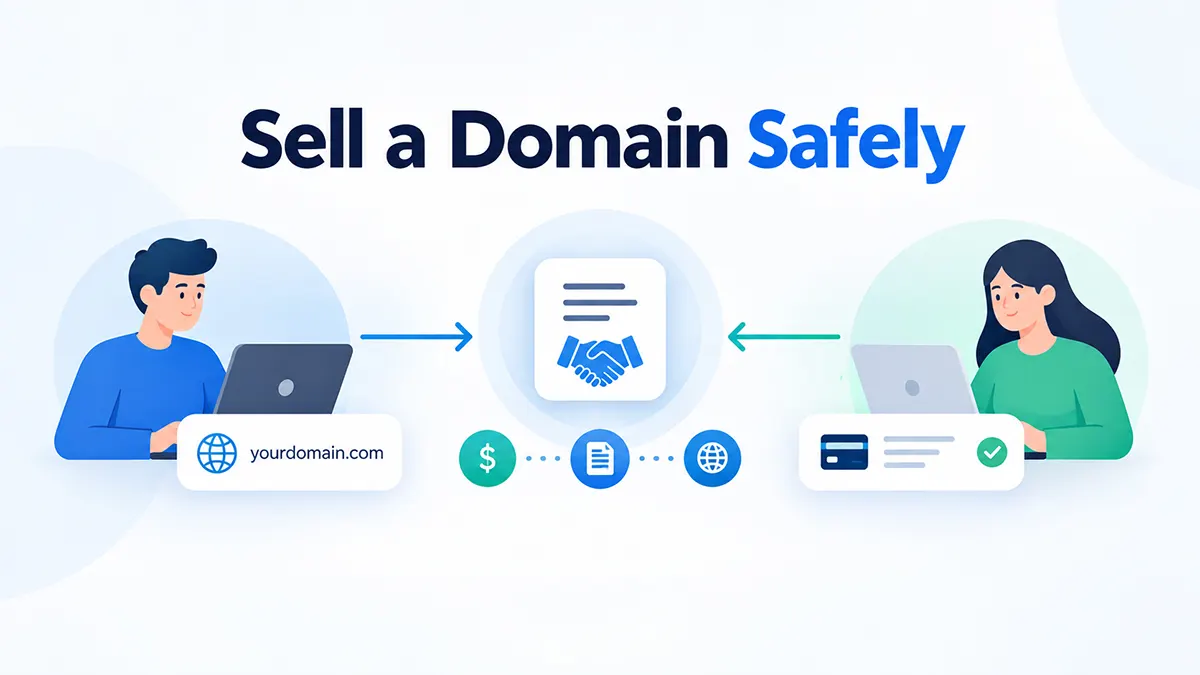

“I’ll send the money after you transfer the domain,” says the buyer. “I’ll transfer after you send the money,” says the seller. Neither position is unreasonable — nobody wants to go first with nothing to show for it. A legitimate transaction service exists to solve exactly this problem: it creates an agreed sequence where payment and transfer are each verified before the deal is finalized.
That said, no transaction service makes fraud impossible. This guide walks through how to sell a domain safely — covering how Escrow.com’s standard process actually works, how it differs from Sedo, Afternic, and Flippa’s own closing options, and how to protect yourself regardless of which one you use.
wpdomainforsale.com is operated by ThemeAtelier, the developer of Domain For Sale. Domain For Sale can connect your WordPress sales workflow to Escrow.com, but ThemeAtelier is not Escrow.com and does not hold buyer or seller funds. Fees, eligibility, and process details below are verified against official provider sources as of September 2026 and can change — confirm current terms directly with the provider before starting a real transaction. ThemeAtelier has no disclosed affiliate or referral relationship with Escrow.com, Sedo, Afternic, or Flippa.
Key Takeaways
- Never transfer a domain because a buyer sent a payment screenshot or an email claiming funds were sent — verify status inside the actual provider’s dashboard.
- A dedicated escrow service and a marketplace’s transaction service are not automatically the same legal service — GoDaddy’s own terms state Afternic Transaction Assurance is “not an escrow agent.”
- A standard Escrow.com domain transaction does not involve Escrow.com holding the domain — that’s a separate service called Domain Holding, used for installment sales.
- Domain For Sale can integrate with Escrow.com for Pro users, but the plugin itself never holds buyer funds — Escrow.com does.
- Marketplace commissions (10–30% depending on the platform) and standalone transaction-service fees (roughly 1–5%) pay for different things and shouldn’t be compared as if they buy the same service.
- Escrow.com supports only five currencies (USD, AUD, CAD, EUR, GBP) and restricts several countries — check eligibility before agreeing to terms.
Table of Contents
What Problem Does a Transaction Service Actually Solve?
Without a trusted intermediary, both sides of a domain sale carry real risk: a seller who transfers first risks the buyer never paying, and a buyer who pays first risks the seller never transferring. A legitimate transaction service reduces that counterparty risk by creating a structured sequence — it doesn’t guarantee complete protection for either side, and no provider’s terms claim that it does.
How a Standard Escrow.com Domain Sale Works
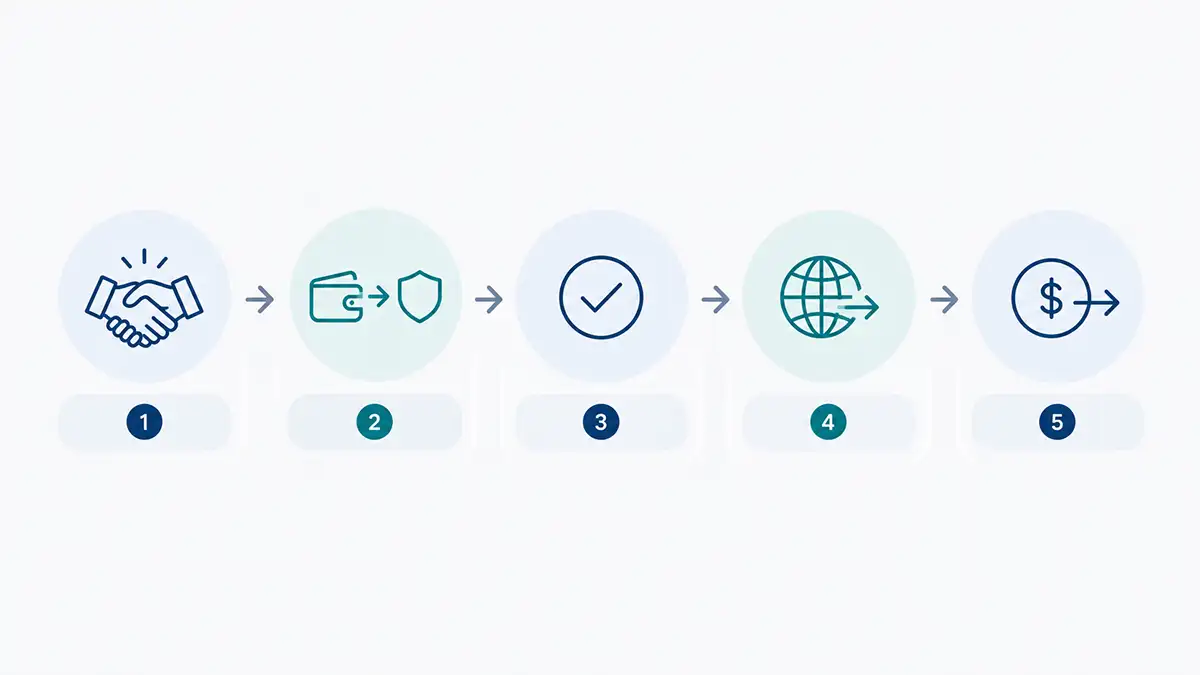
According to Escrow.com’s own process documentation, a standard domain transaction runs in five steps: the buyer and seller agree to terms, the buyer pays Escrow.com, Escrow.com verifies and secures the payment and instructs the seller to transfer, the seller transfers the domain and confirms it, and once the buyer accepts (or the inspection period ends) Escrow.com releases funds to the seller. Escrow.com does not take possession of the domain during this standard process — that only happens under the separate Domain Holding service (below).
The inspection period — the window during which the buyer can examine the domain after receiving it — is 1 to 30 calendar days and is agreed by both parties when the transaction is set up, not a fixed universal number. Who pays Escrow.com’s fee is also negotiable between buyer and seller — 100% buyer, 100% seller, or a 50/50 split — though if a transaction is cancelled after funds are already approved, Escrow.com’s terms make the buyer responsible for the full fee regardless of the original split.
Escrow.com Fees — and Why Domain Holding Is Different
Escrow.com’s fee calculator uses a tiered schedule rather than one flat rate, checked September 2026: a $1,000 transaction falls under the $0–$5,000 tier (2.6%, $50 minimum), so the fee is $50. A $10,000 transaction falls in the $5,000.01–$50,000 tier (2.4%), so the fee is $240. A $50,000 transaction at the same tier’s ceiling comes to $1,200. Rates step down further at higher transaction sizes, down to 0.7% above $10 million. Paying by credit card or PayPal on transactions under $5,000 adds a processing fee equal to the escrow fee plus 3.05%; international wire buyers outside the US pay an additional flat $25.
| Transaction Amount | Standard Fee |
|---|---|
| $1,000 | $50 (minimum fee applies) |
| $10,000 | $240 (2.4%) |
| $50,000 | $1,200 (2.4%) |
Domain Holding is a separate service, used when buyer and seller agree to installment payments or a lease-to-own arrangement rather than a one-time transaction. Here, Escrow.com holds the domain itself for an agreed term of 3 months to 5 years while payments are made through escrow. Its fee is additional to the standard escrow fee: roughly 0.01% of the domain’s value (or a $100 minimum) per month for a lease-with-purchase arrangement, or 0.02% (or $200 minimum) per month for lease-only, plus separate charges for payment-schedule changes or DNS updates. Don’t assume every private sale needs this — it’s specifically for installment-style deals, not standard one-time sales.
Marketplace “Escrow” Isn’t One Thing
Marketplace infrastructure typically bundles several services together — buyer acquisition, listing exposure, payment processing, fraud checks, transfer coordination, and payout — which is why a marketplace commission and a standalone escrow fee aren’t directly comparable. They pay for different things, and calling every marketplace transaction process “escrow” glosses over real legal differences between providers.
Sedo, Afternic, and Flippa: What Each Actually Offers
Sedo
Selling through the Sedo marketplace itself carries a commission of 10% (Buy Now/Best Offer via Sedo’s own parking or landing page), 15% (Make Offer or auction, not parked), or 20% (sold through the SedoMLS partner network), with a minimum fee of $60 or $200 depending on the TLD category. Separately, Sedo’s External Transfer Service is built specifically for deals negotiated outside Sedo: it charges 3% of the sale price (same $60/$200 minimum), typically billed to whoever requests the service, with the fee splittable by request. Sedo’s own description of the process: both parties sign an electronic sale agreement, the buyer pays into a Sedo-provided account, Sedo’s transfer specialists coordinate the domain move between registrars, and the seller is paid once the transfer completes.
Afternic
Afternic (owned by GoDaddy) uses a service called Transaction Assurance — and GoDaddy’s own Domain Broker Service Agreement states plainly: “GoDaddy is not an escrow agent,” and is “not acting as a trustee, fiduciary, or escrow agent with respect to your funds.” That’s a meaningful legal distinction from Escrow.com, not just a naming difference. Afternic pays sellers within roughly 20 days of receiving buyer funds (barring disputes or suspected fraud), and domains purchased through it can’t be transferred to another registrar for 60 days after the change of ownership. Two transfer speeds exist: Fast Transfer (select TLDs, Buy Now price under $100,000, participating registrars, not available if the domain was registered or transferred within the past 60 days, payout often within an hour), and Standard Transfer (seller unlocks the domain and provides the auth code, taking up to 7 days). For a deal negotiated privately, Afternic’s Custom Checkout Link lets a seller with an active Afternic listing generate a payment link that routes through Transaction Assurance — a 5% fee applies to Buy It Now sales, with a $15 minimum, and the link stays valid for 7 days.
Flippa
Flippa offers two distinct closing paths: FlippaPay, its own solution built on a third-party trust partner (funds held in a regulatory trust, not by Flippa directly), starting from a 1% fee but only available on transactions over $10,000; and Escrow.com via Flippa, at a quoted 1.2%–2.5%, bank-wire payout only. Both require a signed purchase agreement and identity verification — they aren’t interchangeable, so check which one a specific listing or deal actually uses.
Closing Options at a Glance
| Option | Works for a private deal? | Legally “escrow”? | Fee (checked Sept 2026) |
|---|---|---|---|
| Escrow.com (direct) | Yes | Yes — dedicated licensed escrow provider | Tiered, 2.6% down to 0.7%, plus a per-tier minimum |
| Sedo External Transfer | Yes | Marketed as a transfer service, not legal escrow | 3% of price, $60–$200 minimum |
| Afternic Custom Checkout Link | Yes, with an active listing | No — GoDaddy’s terms say “not an escrow agent” | 5% (Buy It Now), $15 minimum |
| Flippa (FlippaPay or Escrow.com) | Only through Flippa’s closing flow | FlippaPay: no. Escrow.com option: yes | FlippaPay from 1%; Escrow.com via Flippa 1.2%–2.5% |
| Selling through a marketplace listing | No — this is for marketplace-sourced buyers | Varies by platform | Typically 10–30% commission |
So Which Should You Use to Sell a Domain Safely?
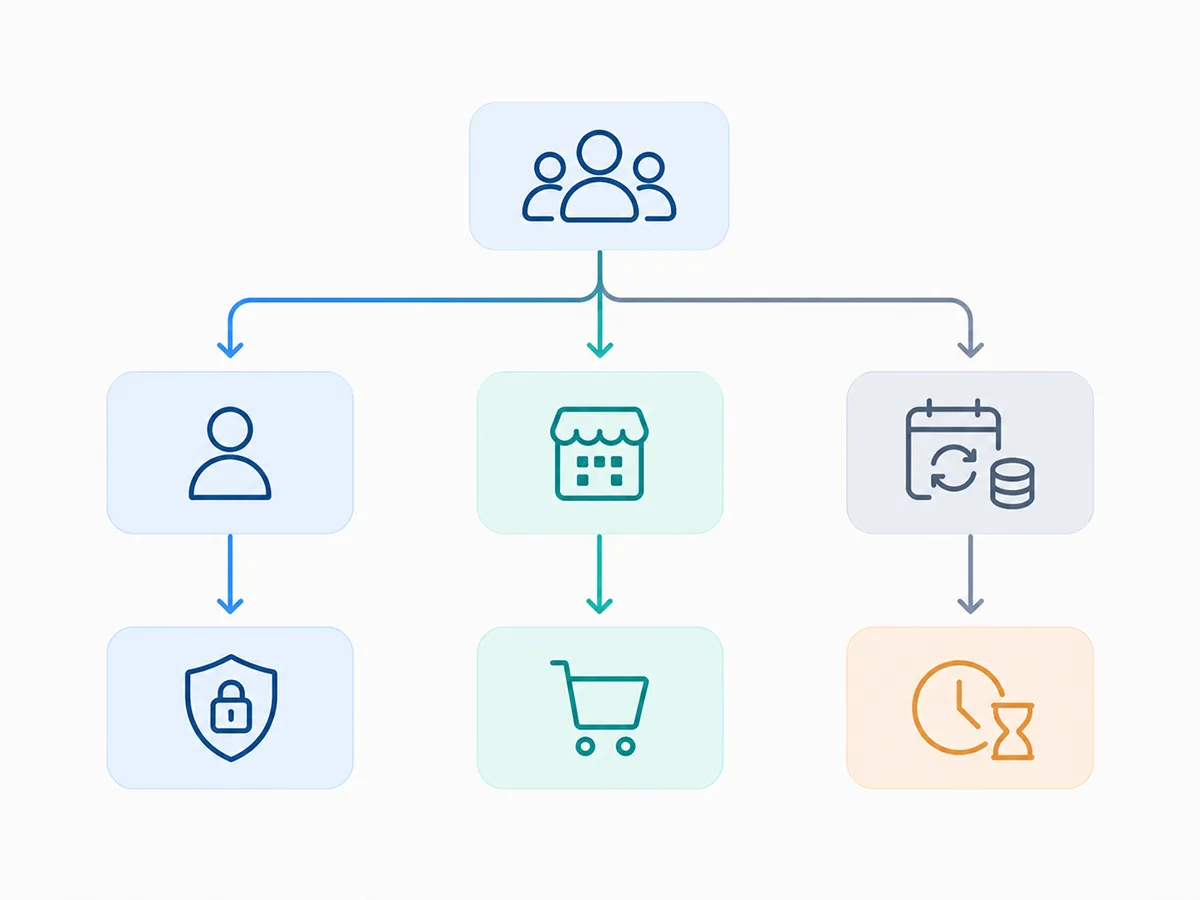
There’s no single universally safest or cheapest way to sell a domain safely — it depends on where the buyer came from and what you need. Consider direct Escrow.com when a buyer approached you privately, you’ve already agreed on terms, and your countries and currency (only USD, AUD, CAD, EUR, and GBP are supported) are eligible. Consider Sedo’s External Transfer Service when you’d rather have Sedo’s team coordinate the registrar-to-registrar move. Consider Afternic’s Custom Checkout Link only if your domain already has an active Afternic listing and you’re comfortable that Transaction Assurance isn’t legal escrow. Consider selling through a marketplace outright when you also want buyer discovery, not just a closing mechanism, and are willing to pay the higher commission for it. For a straight comparison of marketplace commission rates, see our domain marketplace fees guide.
Domain For Sale + Escrow.com: What the Plugin Actually Does
Domain For Sale’s Escrow.com integration, a Pro feature, connects your WordPress sales workflow to Escrow.com in two ways. For a Buy Now / Fixed Price domain, the buyer submits the purchase form and the plugin creates the Escrow.com transaction directly. For an accepted offer, reviewing it inside WordPress reveals an “Invite to Buy via Escrow” button — clicking it emails the buyer a secure payment link that completes the purchase through Escrow.com, with the transaction status syncing back into a dedicated Transactions screen (Domain For Sale → Transactions) showing the Escrow.com transaction ID, buyer email, amount, and a five-stage tracker: Agreement, Payment, Domain Transfer, Inspection, Closed.
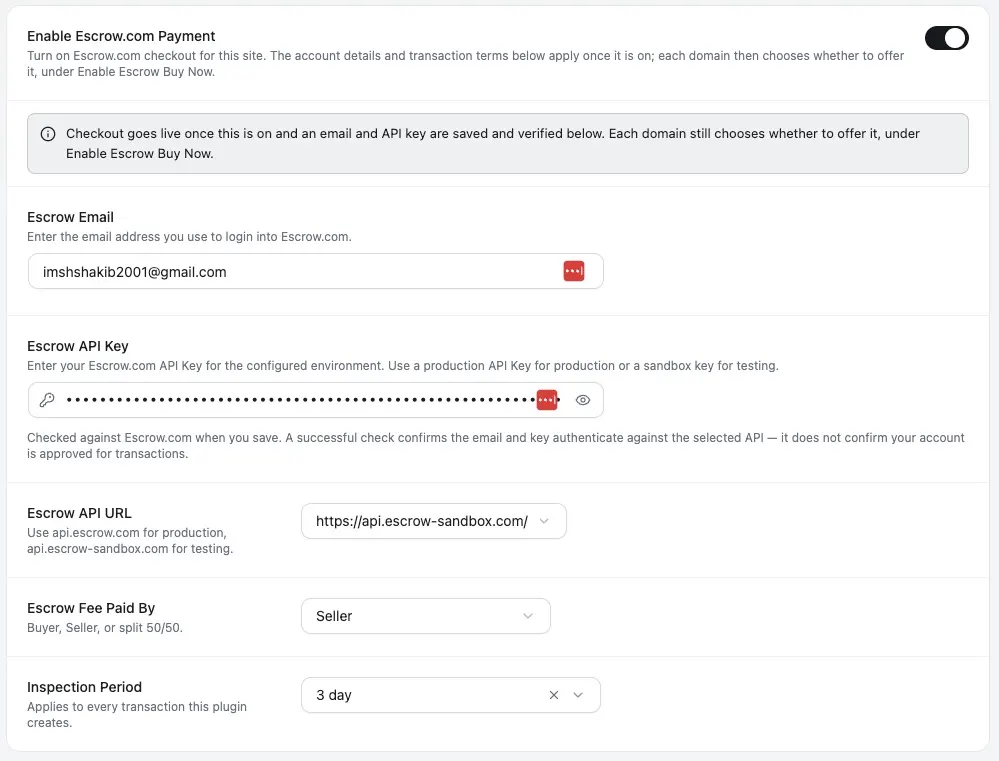
Sellers can configure who pays the Escrow.com fee (Seller, Buyer, or Split) and set the inspection period buyers get before funds release, with a 3-day default and 5–7 days as a common option for corporate or bulk transactions. A Sandbox environment lets you test the full flow against Escrow.com’s test API before switching to Live. Worth repeating plainly: Domain For Sale connects your workflow to Escrow.com — Escrow.com remains the actual escrow provider and transaction custodian, and the plugin itself never holds buyer or seller funds. If you’re setting this up for the first time, our Escrow.com setup guide walks through the configuration steps.
Private Domain Sale Safety Checklist
- Confirm who you’re actually dealing with, and keep correspondence organized.
- Agree on terms in writing: domain, price, currency, who pays fees, and which transaction provider you’ll use.
- Open the transaction yourself, directly on the provider’s real site — never through a link a buyer sends you.
- Complete any required identity or KYC verification the provider requires.
- Confirm buyer funds through the provider’s own dashboard — not a screenshot, PDF, or forwarded email.
- Follow the provider’s transfer instructions exactly; don’t invent your own sequence.
- Wait for the provider’s own confirmation and payout — don’t release control of the domain early because a buyer asks you to.
- Save your transaction records.
How to Spot a Fake Escrow Site
Escrow.com’s own fraud-prevention guidance lists the warning signs of impersonation sites directly: claims of being affiliated with Escrow.com (the company states it isn’t associated with any other escrow site), false claims of being “Internet Escrow Services” (a real Escrow.com subsidiary scammers sometimes name-drop), a design that closely copies Escrow.com’s own site, fake claims of eBay or Yahoo endorsement, missing or unreachable contact details, a company you can’t find through a Google search or the Better Business Bureau, a domain registered only weeks ago despite claiming years in business, requests for person-to-person payment methods like Western Union or payment to an individual rather than a company, suspiciously low fees, and poor spelling or broken links. A padlock icon or HTTPS in the address bar proves nothing about legitimacy on its own.
Screenshots, Emails, and Registrar Credentials Aren’t Proof
A payment screenshot, a forwarded bank confirmation, or an email that looks like it came from Escrow.com is not proof that funds have actually cleared — all of these can be faked or spoofed. Verify transaction status only inside the legitimate provider’s own account, reached by typing the URL yourself, not by clicking a link in an unsolicited message.
Never share your registrar password, email password, or two-factor authentication codes with a buyer, regardless of what a transaction “requires.” Also worth knowing before you commit to a timeline: ICANN policy imposes a 60-day inter-registrar transfer lock in three situations — right after initial registration, right after a prior transfer, and right after a change of registrant (though the registrant-change lock can sometimes be opted out of in advance). Exact implementation varies by registrar and doesn’t apply uniformly to every ccTLD, so confirm your specific domain’s lock status with your registrar before promising a buyer a transfer date.
Cross-Border and High-Value Sales
Escrow.com supports only five currencies — USD, AUD, CAD, EUR, and GBP — with no currency conversion once a transaction starts, and restricts several countries entirely (including Belarus, Cuba, Iran, North Korea, Myanmar, Russia, South Sudan, and Syria as of this writing, alongside a broader higher-scrutiny list that changes periodically). Its KYC process requires a government-issued photo ID and a proof-of-address document dated within three months. Check current eligibility on Escrow.com’s own site before assuming a cross-border deal will go through. For unusually large or legally complex transactions, provider terms alone may not substitute for a purchase agreement, tax guidance, or legal review appropriate to the amount involved.
Common Mistakes
- Transferring a domain after seeing a payment screenshot instead of provider-confirmed funds.
- Following a buyer-supplied “escrow” link instead of navigating to the provider’s site directly.
- Calling Afternic Transaction Assurance “escrow” when GoDaddy’s own terms say otherwise.
- Comparing a marketplace’s commission directly against a standalone escrow fee, as if they buy the same service.
- Confusing a standard Escrow.com transaction with the separate Domain Holding service.
- Sharing registrar or email passwords, or 2FA codes, with a buyer.
- Assuming every provider supports every buyer and seller’s country or currency.
- Agreeing to a provider before agreeing who pays the fee.
Frequently Asked Questions
What is the safest way to sell a domain privately?
There’s no single provider that’s objectively safest for every deal. A reputable transaction process that both sides verify independently and follow exactly — rather than an unprotected direct exchange of funds and access — meaningfully reduces risk, whichever legitimate provider you choose.
Does Escrow.com hold the domain during a normal sale?
No. In a standard transaction, the seller transfers the domain directly to the buyer once funds are verified. Escrow.com only takes possession of the domain itself under its separate Domain Holding service, used for installment or lease-to-own arrangements.
Who pays Escrow.com’s fees?
Buyer and seller negotiate this at setup — 100% buyer, 100% seller, or a 50/50 split. If a transaction is cancelled after funds are already approved, Escrow.com’s terms shift the full fee to the buyer regardless of the original agreement.
Can I use Sedo to transfer a domain I sold privately?
Yes — Sedo’s External Transfer Service is built for exactly this, charging 3% of the sale price (minimum $60–$200) to handle payment and the registrar-to-registrar transfer for a deal you negotiated outside Sedo’s marketplace.
Is Afternic Transaction Assurance the same as escrow?
No. GoDaddy’s own Domain Broker Service Agreement states it is “not an escrow agent” and is not acting as a trustee or fiduciary. It’s a structured payment-and-transfer process, but not legal escrow in the way Escrow.com is.
Does Domain For Sale provide escrow?
No. Domain For Sale (Pro) integrates your WordPress sales workflow with Escrow.com — generating purchase links, tracking transaction status — but Escrow.com remains the actual escrow provider, and the plugin never holds buyer or seller funds itself.
Conclusion
Selling a domain safely comes down to this: no transaction service eliminates risk entirely, but the providers covered here reduce it in different, non-interchangeable ways — a licensed escrow provider, a marketplace’s transfer service, and a marketplace’s own transaction-assurance process aren’t the same thing legally or operationally. The rule that matters most regardless of which one you pick: verify funds and instructions inside the legitimate provider’s own account, never through a screenshot, email, or buyer-supplied link.
Before your next sale, take these steps to sell your domain safely: agree on a provider and fee split in writing, confirm that provider supports both parties’ countries and currency, and walk through the safety checklist above. If you’re selling through WordPress with Domain For Sale, our Escrow.com setup guide covers the configuration steps in detail.